
Questions & Answers
Q: When is a simple control panel more cost-effective than a PLC?
Answer
- Very few I/O and simple sequences: If you only need two or three digital on/off signals (for example, “start pump,” “stop pump,” “low-level alarm”), a relay-based panel can cost less than even the smallest PLC.
- Fixed logic with no future growth: Relay logic is hardwired, so if you’re absolutely certain your process will never change, there’s no software to write or maintain.
- Speed of delivery: Off-the-shelf relay panels can be built and delivered in days, whereas even micro-PLC jobs often need software configuration and field testing.
- Easy retrofit path: Many panels combine a few relays today with an empty slot for a future PLC module—so you can start cheap, then click in a PLC later if you need more flexibility.
Q: We’re not sure if we’ll ever use full SCADA, can we start smaller?
Answer
- PLC + local HMI is often enough: For a single machine or area, a £1,000–£2,000 PLC plus a £750 touchscreen gives you all the control and data you need.
- Future-proof connectivity: Choose a PLC with Ethernet or Modbus TCP so, if you later need SCADA, you simply point your SCADA server at it—no rewiring.
- Web-enabled PLCs: Some modern PLCs include a built-in web server, and some under £1000 / month you can host rise-and-fall charts or alarms on any PC or tablet no full-blown SCADA licence needed.
- Phased upgrade: Begin with local control, add remote monitoring next year, then layer on Text or Email alarms. Each step is small, affordable and shows value before you invest more.
Q: What if we decide not to automate, what’s the real cost?
Answer
- Hidden labour costs: Manual operations aren’t free—over-reliance on staff for repetitive tasks drives overtime and fatigue. Surveys show 72 % of operators suffer burnout when forced into manual routine work.
- Quality & scrap: Manual indexing and timing lead to inconsistent product quality. A £5K PLC add-on often reduces scrap by 15–30 %—paying for itself quickly.
- Downtime risk: Unplanned stoppages cost £1,000–£2,000 per hour in a small plant. A small automated safety or jam-detect feature can eliminate many of those stops.
- Competitive disadvantage: As more UK SMEs automate, those without even basic PLC control lose cost competitiveness. Doing nothing can cost you more in the long run than a modest first step.
Q: What maintenance does a PLC system need?
Answer
- Minimal hardware upkeep: PLCs are solid-state – no moving parts – so you rarely replace modules. Power supplies and I/O terminals may need occasional cleaning or screw-tightening.
- Software health checks: Back up your program regularly, update firmware only when needed, and review error logs quarterly.
- Preventive tasks: Check terminal tightness once a year and inspect any expansion modules for dust or corrosion. Most SMEs find that basic checks take less than a day annually.
Q: What safety approvals do we need for adding automation?
Answer
- Risk assessment: Conduct a simple HAZOP or risk assessment on the new automated station—often no more than a checklist.
- Safety-certified modules: Use SIL 2/SIL 3 or PL d/PL e rated safety PLC modules and safety-rated I/O (E-Stops, light curtains).
- Standards compliance: Document to BS EN ISO 13849 and BS EN 62061. Many PLC vendors provide pre-certified safety function libraries to simplify validation.
- Sign-off: Have a competent person (internal or external) sign a Safety Validation Report—this typically takes a day or two for a small cell, we can do this.
Q: How do we keep manual override capability safe and compliant?
Answer
- Key-switch overrides: Use a keyed selector to switch between Auto and Manual—only authorised staff can enable manual mode.
- Interlocked operations: Even in manual, maintain safety functions (E-Stops, door guards). The PLC should still supervise safety circuits.
- Clear HMI guidance: In manual mode, the HMI displays only the allowed manual functions, with prompts and confirmations (“Are you sure you want to jog conveyor?”).
- Audit logs: Record every switch to Manual/Auto with timestamp and user ID, helpful for traceability and post-incident analysis.
Q: What if our process changes, how easy is reprogramming?
Answer
- High-level function blocks: Use reusable modules for timers, counters and motion steps. Changing one block updates everywhere.
- Simulation tools: Some PLC software (Siemens TIA Portal, Rockwell Studio 5000) include simulators so you test logic offline before deploying.
- Version control: Store your PLC code in a dedicated Directory, schedule regular backups, before and after changelogs, then roll back if needed.
- Modular wiring: Label and document I/O points clearly, so adding a new sensor or actuator is just a matter of plugging in and assigning an address—no rewiring maze.
Q: Our energy bills are through the roof, we don’t know where to start!
Answer
- PLC-driven metering: Fit CT clamps on individual machines or sub-panels and wire them into a PLC input module.
- Real-time alerts: Program the PLC to trigger an alarm or lamp if a machine exceeds its baseline kW consumption—helping you catch a jammed motor or air leak instantly.
- Historical trends: Store hourly or shift-by-shift energy figures in the PLC and review them weekly on a simple HMI chart or spreadsheet export.
- Targeted savings: Armed with actual data, you can justify fixing the worst offenders first—often delivering 10–20 % energy cuts in months.
Q: We have no one here who can read or maintain PLC code, and we don’t want to be hostage to one integrator.
Answer
- Step-by-step HMI overrides: Design your screens with big, labelled buttons like “Jog Conveyor,” “Step 1 Fill,” “Step 2 Drain,” so operators can run or diagnose the process without touching the ladder logic.
- Simplified screens: Use guided modes—“Auto,” “Manual,” “Step” —with clear on/off indicators. A good HMI turns a complex program into a few user-friendly menus.
- Secure remote support: Modern PLCs can host a built-in VPN client or secure web page. With your permission, your integrator can login remotely to troubleshoot, no site visit, no waiting days for an engineer.
- Code handover and training: Include a 2-hour handover session in your contract. Ask the integrator to comment the logic (e.g. “// Step 1: Fill until level sensor high”) and leave a printed flowchart. You’ll never be completely dependent.
Q: We want manual control as a backup, but still keep the automation benefits.
Answer
- Dual-mode operation: Program the PLC with two modes—Auto for normal runs and Manual for individual outputs. On the HMI, have separate keys for “Auto Cycle” and “Manual Step Control.”
- Physical override switches: Fit lockable keys or selector switches on the panel: “Auto/Manual/Off.” In manual, the PLC simply passes through each operator command.
- Step-logic testing: In manual mode, let the user advance the process one step at a time—ideal for commissioning or for training new staff without risking a full automatic cycle.
- Safety interlocks maintained: Even in manual, keep safety guards, E-stops and door interlocks active. That way you “eat your cake” of manual control while still protecting people and equipment.
Q: How quickly will we see a return on our automation investment?
Answer
- Typical payback: For a small pilot (one machine or station), SMEs often recoup costs within 6–12 months via labour savings, reduced scrap and fewer stoppages.
- Key drivers: Faster ROI comes from automating high-cycle or labour-intensive tasks (e.g. part sorting, palletising). If a process runs 8 h/day and saves one operator, that £25k/year salary is a big chunk of a £5k–£10k automation cost.
- Measure it: Track baseline metrics (cycle time, defect rate, labour hours) before install, then compare monthly. Even a 10 % efficiency gain usually covers hardware and engineering fees quickly.
Q: Is PLC-based automation secure from cyber-attacks?
Answer
- Network segmentation: Keep your PLC network separate from general office or Internet traffic. Use firewalls or VPNs for remote access.
- Strong credentials: Change default passwords on HMIs, PLCs and gateways, and use individual user logins with appropriate access levels.
- Updates and patches: Apply vendor security patches during scheduled maintenance; many PLC vendors now publish security bulletins.
- Monitoring: Simple network-monitoring tools can alert you if unexpected traffic reaches your control hardware, giving you time to respond.
Q: How do we choose between different PLC brands?
Answer
- Local support: In the UK, look for a vendor with a regional office and rapid field-engineer response (e.g. Siemens, Schneider, Allen-Bradley).
- Ecosystem fit: If you already use Siemens drives or HMIs, a Siemens PLC is a natural fit. But open-protocol PLCs (CODESYS-based) give more hardware choice.
- Cost vs features: Entry-level PLCs (e.g. Allen-Bradley Micro800, Siemens LOGO!) start at <£500. Mid-range controllers add networking, high-speed counters or motion axes at higher cost. Match to your I/O and performance needs.
- Future roadmap: Check the vendor’s long-term product support and upgrade paths so you’re not forced into forklift replacements in a few years.
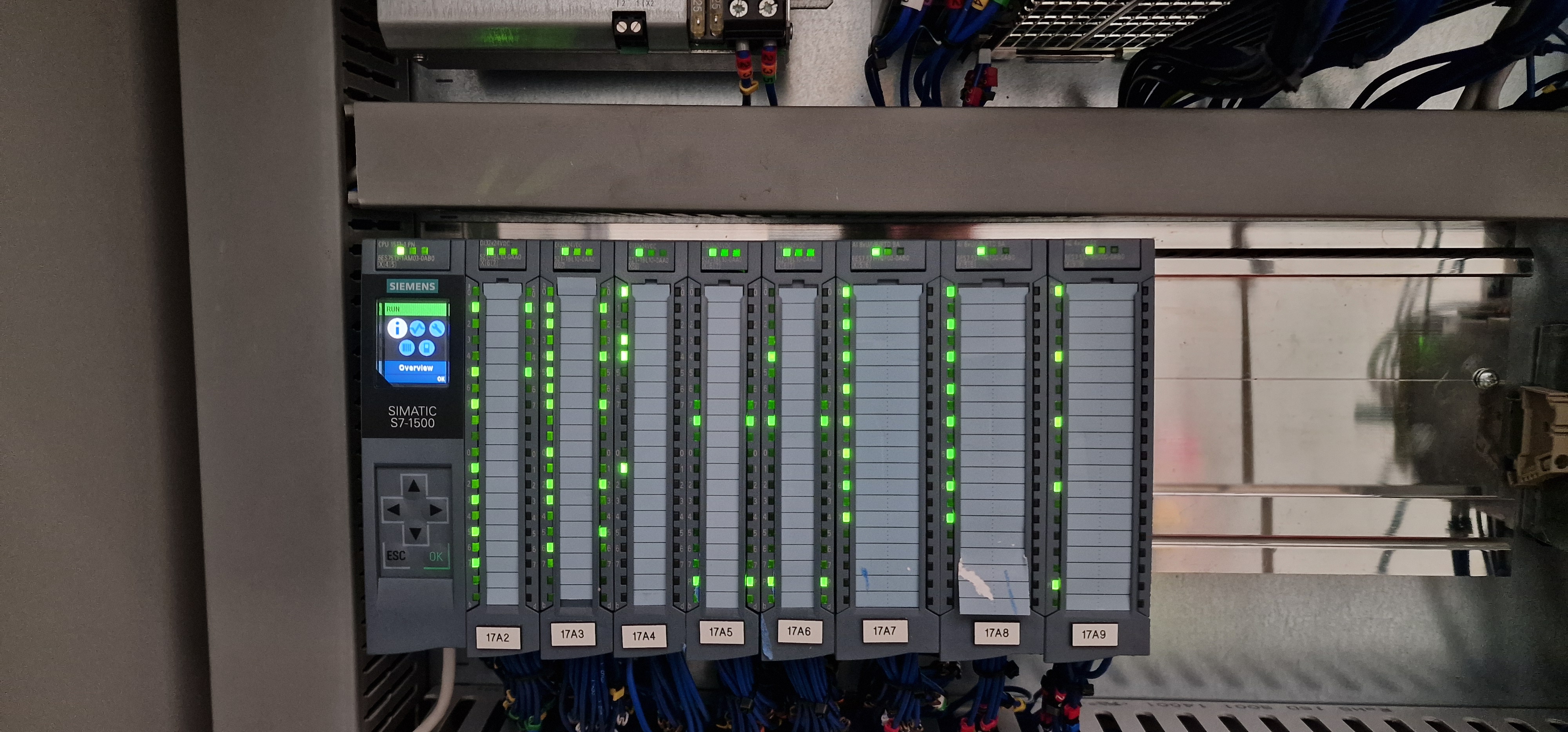
Our in-Depth Answers To Common Industry Questions:
Here are in depth answers to common questions we encounter in the UK manufacturing industry.
Our practical guidance helps Industries solve real automation challenges without breaking the bank.
Traditional Control Panels vs PLCs: Which is Right for Your Manufacturing Process?
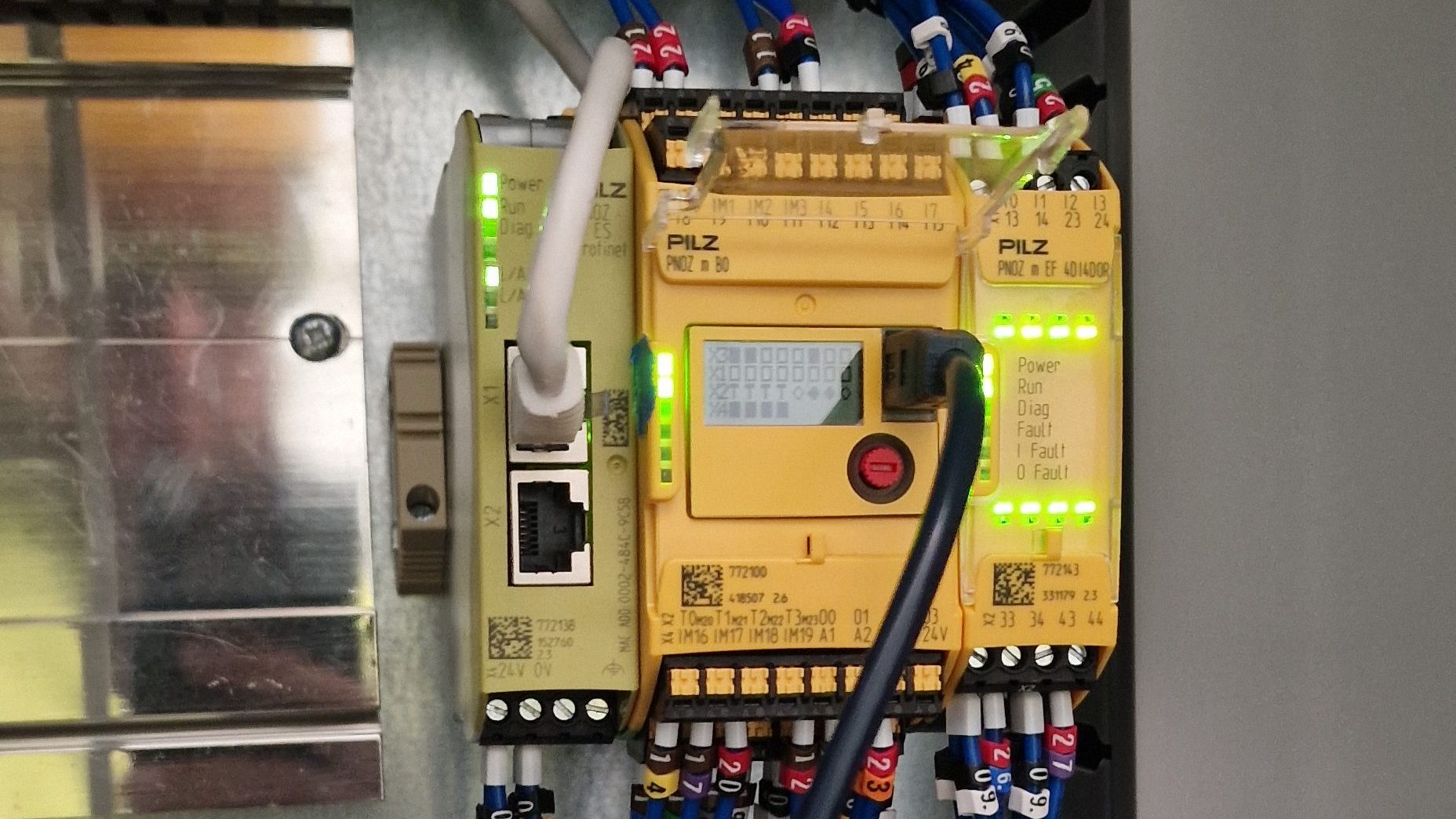
When Traditional Control Panels Win on Cost-Effectiveness
We break down the real costs and benefits to help you make the right automation choice for your specific manufacturing needs.
Read More….
In today’s competitive manufacturing landscape, choosing the right automation approach is crucial for UK SMEs looking to optimise their operations. The decision between traditional control panels and PLC-based systems can significantly impact your costs, flexibility, and future growth potential. Let’s break down when each option makes the most sense for your business.
When Traditional Control Panels Win on Cost-Effectiveness
For very simple machines or processes with straightforward operations, a hardwired relay/timer panel often delivers better value than a PLC system. These traditional panels excel in scenarios like:
- Single-function machines such as a pump with basic start/stop and overcurrent trip functionality
- Basic conveyor on/off control with minimal automation requirements
- Simple safety interlocks or alarm panels where the logic remains static
The cost advantage is clear: relay panels use standard components (typically £5-£20 each) and require minimal engineering time. In contrast, PLCs involve purchasing a CPU card (several hundred pounds), expansion modules (£50-£150 each), plus engineering hours for programming and debugging. Many PLCs also require proprietary software licenses.
For applications with very low I/O counts, the total PLC solution can be 2-5 times more expensive than a relay panel. This makes traditional panels the economical choice for fixed, basic control where you don’t need data collection or the ability to make future changes easily.
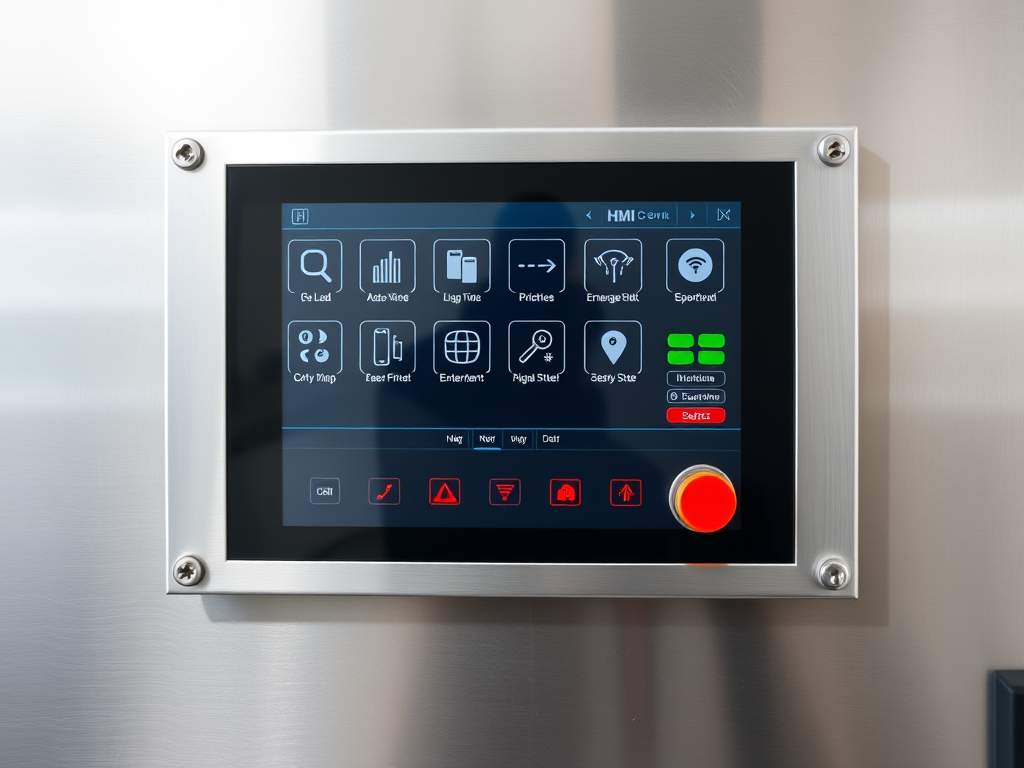
how Image Example of a simple machine control panel with physical knobs and buttons – cost-effective for single-purpose machinery
The Limitations of Traditional Panels
While budget-friendly for basic applications, traditional control panels do come with significant drawbacks:
- Lack of flexibility – changing the sequence means rewiring or swapping timers, which can be time-consuming
- Limited diagnostics – no automatic fault-logging or remote access capabilities
- Higher long-term maintenance – relays and contactors wear out under high cycles (components like electromechanical relays will eventually burn contacts, requiring replacements)
- No expansion capacity – adding sensors or collecting data requires significant rework
When PLCs Justify Their Investment
PLCs demonstrate their value as soon as you need anything beyond basic on/off logic. Consider investing in a PLC-based system when your requirements include:
Data Capture & Diagnostics
A PLC can log motor runtime, record fault codes, or track production counts. Real-world example: adding smart overload relays and a PLC at Outokumpu’s Sheffield plant allowed motor status, loading and fault diagnostics to be viewed remotely on a SCADA screen. This means instead of guessing why a machine tripped, the PLC can tell you exactly which motor or sensor caused it, often with an error code or history log.
Energy Tracking
PLCs integrate with energy meters or drive feedback to monitor power consumption per machine or process. By reading current transformers or smart meters through the PLC, you can chart energy use by shift or product, identifying wasteful practices and quantifying savings. This data enables energy-aware control – such as scheduling high-load operations during off-peak tariffs.
Predictive Maintenance
PLCs feed condition data into maintenance systems, allowing you to count motor starts or run hours and flag scheduled servicing before failure occurs. More advanced setups use vibration/temperature sensors connected to the PLC to alert staff of rising trends (bearing wear, imbalance) – implementing genuine predictive maintenance. Made Smarter reports confirm that UK SMEs using real-time monitoring and predictive maintenance tools can “pre-empt potential issues before they cause disruption.”
Flexibility and Future-Proofing
PLC programs are software-based, making it easy to tweak logic, add sensors, change timers, or repurpose machines without panel rewiring. In an evolving factory, this flexibility is invaluable. Many UK integrators use standardised PLC programming (often IEC 61131 languages), so existing PLC code can be migrated or copied for new machines.
Quality and Traceability
Even in simple applications, PLCs can stamp products with batch numbers, record weights or fill levels, and store this information in a database. If a defect is found, a PLC log might show exactly which set of parts or recipe batch was used – increasingly important in sectors like food, pharmaceuticals, and aerospace.
The Bottom Line
Stick with a traditional (relay/timer) panel when your application is modest: few inputs/outputs, no need for future changes, no data logging requirements, and a tight budget. For everything else, PLCs generally pay off in the long run through improved flexibility, data insights, and the ability to continuously optimise your operations.
In our next post, we’ll explore how PLCs can help SMEs manage rising energy costs through active monitoring and optimisation.
Need guidance on selecting the right automation approach for your specific manufacturing process? Contact our team of UK automation specialists today for a free consultation.
How can PLCs help Factories manage rising energy costs?
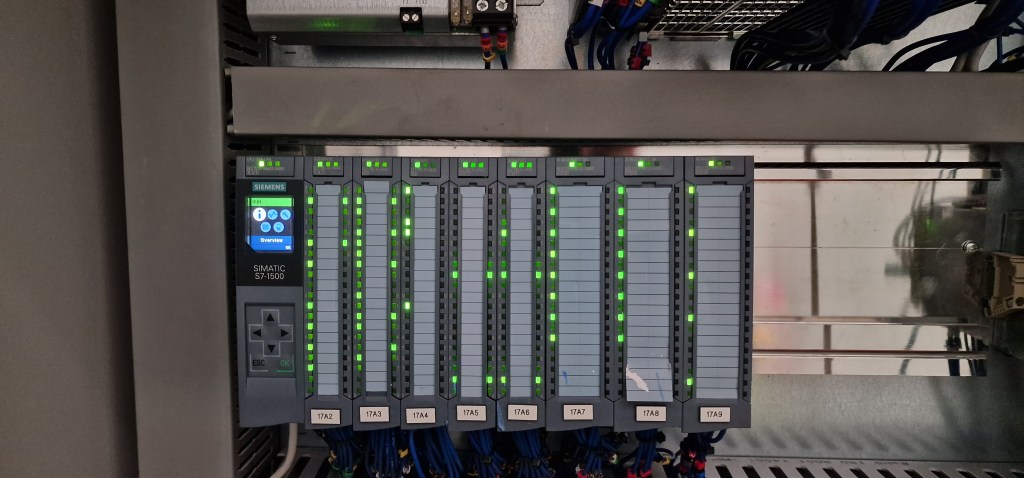
PLCs enable active energy management through real-time monitoring, intelligent control, and data-driven decision making. By integrating energy meters, drives and sensors, a PLC-based system can monitor and optimise energy use continuously. A typical setup might include CT (current transformer) meters on main power feeds or individual machines, all wired into the PLC.
Read More….
Monitor in Real Time
Track kW draw, power factor or gas/water flow and log this at intervals. Dashboards or HMIs can display live consumption per machine or area. This visibility alone helps operators spot waste (e.g. a heater left on overnight).
Control and Optimisation
The PLC can automatically turn off non-essential equipment if a threshold is exceeded (load shedding), or shift tasks to off-peak hours. For example, a PLC could dim factory lighting or idle machinery when production is down, per a schedule or ambient light sensor. Variable-speed drives controlled by the PLC can slow motors (e.g. conveyors or pumps) to match actual demand, cutting electricity use. PLCs can do “load balancing, demand response and scheduling,” reducing wastage by redistributing power and adapting to tariff changes.
Data-Driven Savings
Historical energy data collected by the PLC can be analysed to find efficiency opportunities. If a machine’s energy per unit product climbs, it could indicate wear or poor calibration. The PLC can flag this for review. Over weeks/months, the system can build energy profiles so the factory sets realistic targets (e.g. “reduce kWh per widget by 10%”). Using this approach, many facilities see payback in 1–2 years: the PLC’s own cost is quickly offset by lower utility bills.
Predictive Maintenance Synergy
Detecting equipment faults early (like a motor drawing excess current) also saves energy. Inefficient or failing equipment often wastes power. A PLC can identify these faults and alert staff before a breakdown, keeping machines running at peak efficiency.
Practical Implementation
In practice, SMEs can start small: fit power meters or smart plugs on key machines and link them to a PLC or a connected display. Many PLC vendors (Siemens, Allen-Bradley, etc.) offer energy-meter modules. On the software side, simple routines can convert meter pulses to kWh and store them. More advanced setups might feed data to a SCADA or cloud platform for long-term analysis.
Return on Investment
Even with rising energy prices, the cost of a PLC system plus meters can often be recouped within a couple of years through savings. For example, if a PLC tweak saves just 10–15% on a big motor’s usage, that adds up quickly. UK energy guides estimate SMEs can save thousands per year once monitoring and controls are in place.
Using a PLC for energy management gives real-time control, historical data and predictive capabilities – all leading to smarter, lower-cost operation.
Want to explore how a PLC-based energy management system could benefit your factory? Contact us
What if we lack in-house PLC expertise or fear integrator lock-in?
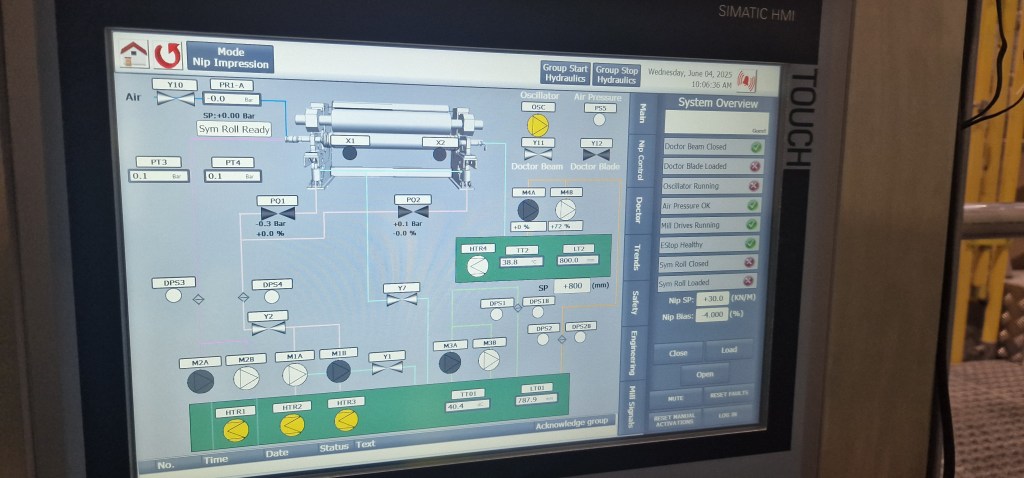
Lack of in-house skills or integrator dependency is a common concern, but several practical solutions can mitigate these risks. SMEs have multiple options to implement automation successfully without becoming overly dependent on external specialists.
Read More….
Remote Support & IoT
Modern PLCs often support secure remote access. For example, devices like HMS Networks’ eWON gateways allow a trusted engineer to VPN into the PLC from anywhere. This means a UK machine builder or integrator can update code or diagnose faults without travel. Many PLC vendors also offer cloud-based support portals or remote HMI viewing. By investing in a small VPN router (~£200), an SME can have 24/7 remote support – reducing downtime and reliance on on-site visits.
User-Friendly HMI Design
Hire or train staff to create clear operator interfaces. Good HMI screens use big buttons, simple graphics and the native language. They should only show what operators need: e.g. “Press Start, then Monitor Output,” with warnings if something is wrong. Some integrators specialise in operator-focused design. The aim is that an operator with minimal training can run and even tweak the process. Having local staff comfortable on the interface reduces emergency calls to integrators.
Hybrid Manual/Auto Controls
Design the system so it can fall back to manual if needed. For instance, include an Auto/Manual switch: in MANUAL mode, each motor is started by local pushbuttons; in AUTO, the PLC takes over. This preserves operators’ familiar manual controls while still allowing automation. Over time, as confidence grows, the SME can rely more on AUTO mode. Such hybrid layouts ease the transition and give reassurance that “I can still run this by hand if the PLC breaks.”
Training & Documentation
Encourage basic PLC training (even Level 1 online courses) for a maintenance technician. UK colleges and vendors (e.g. Siemens Learning, Rockwell courses) offer short PLC/HMI courses. Having even one in-house person who can upload a minor program change or read a fault code can cut costs. Also, insist on clean documentation: the integrator should hand over program listings and I/O drawings. Request regular source-code backups (to USB or cloud) so you’re not locked out.
Vendor-Independent Practices
One fear is “integrator lock-in.” SMEs can insist on open or standard practices. For example, specify that the PLC code be written in IEC 61131-3 languages (Structured Text or Function Block) rather than proprietary ladders. Some UK integrators use manufacturer-neutral tools like CODESYS (IEC-compliant) so that in principle you could switch hardware and port the code. There are also “PLC standard libraries” (PLCopen) and communication protocols (Modbus TCP, OPC UA) that ensure hardware compatibility.
Good planning and negotiation can reduce dependence. Many vendors now market their equipment and software as “user-friendly” precisely for SMEs (e.g. Allen-Bradley’s Micro800 kits or Siemens LOGO! controllers aimed at small users). Solutions like remote VPNs, well-designed HMIs, and open-programming standards give SMEs confidence that they will not be helpless without their integrator on site.
Concerned about implementing PLC automation without in-house expertise? Our team specialises in knowledge transfer and building client independence. Contact us to discuss your specific concerns.
How can we introduce automation as a bolt-on with minimal disruption?
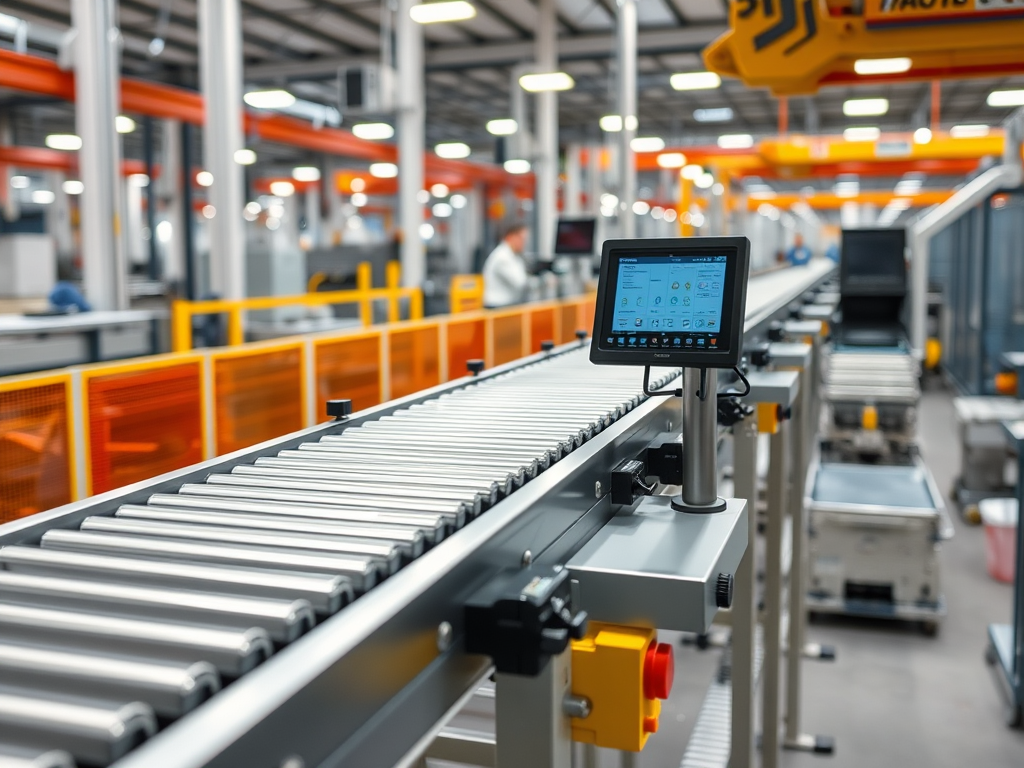
A phased, incremental approach is key to successful automation implementation with minimal disruption. Rather than ripping out an entire process, Factories can bolt automation onto one machine or stage at a time. For example, start with the biggest bottleneck: if an operator spends half their shift manually filling a hopper, automate that one step first. Then move on to the next highest waste activity. UK industry experts advise “replacing the most time-consuming, labour intensive processes and progressing to more advanced systems”. Each phase should be a self contained project that delivers measurable value before expanding further.
Read More….
Assessment and Pilot
Begin by analysing the process with operators. Identify where mistakes or delays occur. Install sensors or actuators on a single machine as a proof-of-concept. For instance, add a photo-eye and PLC to count parts on a manual inspection station, while leaving the operator in control. Tune this mini-automation and train staff on it. Once it’s working smoothly and staff see the benefit, they are more receptive to wider rollout.
Operator-Friendly Rollout
Involve operators in design. Use large, clear pushbuttons or touchscreens that mimic the old controls. Provide simple instructions or color-coding. The goal is that workers accept the new system without fearing it. For example, if adding an automated conveyor loader, include a “teach” mode where the operator can jog the lift up/down manually during setup.
Minimum Viable Automation (MVA)
Think of each step as a “minimum viable product.” Automate just enough to solve the immediate problem. A small PLC could, in the first iteration, only sequence a motor on/off. Additional features (like data logging or remote access) can be added later. This keeps initial costs and risk down. For example, instead of automating a whole assembly line at once, start by automating just the glue dispenser unit. The machine still requires manual feeding, but glue application is now consistent and hands-free. After success, you could then add a PLC and vision sensor to count outputs.
Maintain Continuity
Plan the work so production can continue. Often this means installing the new controls beside the old panel, with a switch to toggle between them. Do the testing during off-hours or on weekends. Many integrators build and test the entire PLC and panel offline (FAT – Factory Acceptance Test) before ship, so on-site integration is quick.
Leverage Simple Add-Ons
Sometimes automation can be sneakily simple. Adding an Energy Management HMI or a basic data logger to an existing machine can deliver immediate benefits (data-led) without altering the core process. These bolt-ons give operators visibility and save energy or time with very low risk.
This careful phasing and operator-focused design reduces fear and disruption. The UK packaging machinery sector emphasises that phased automation maximises ROI while minimising disruptions. By proving out automation on one machine first, operators and managers build confidence. Each successful “bolt-on” makes the case for further investment, turning one-point automation into a gradual, manageable journey toward a smart factory.
Looking to automate without disrupting your current production? Our step-by-step approach ensures minimal downtime while delivering immediate benefits. Contact us to discuss your specific process requirements.

Interested In Our Previous Projects?
Have a Specific Challenge?
Share your manufacturing problem, and we’ll send you practical advice tailored to your situation.
Our Services
Automation & Control Systems
Learn more….
Electrical Design
Learn More….
Legacy System Modernisation
Learn More….
Vision & Safety Systems
Learn More….
Predictive Maintenance
Learn More….
 Welcome To Sull Systems